

Design and Build Quality
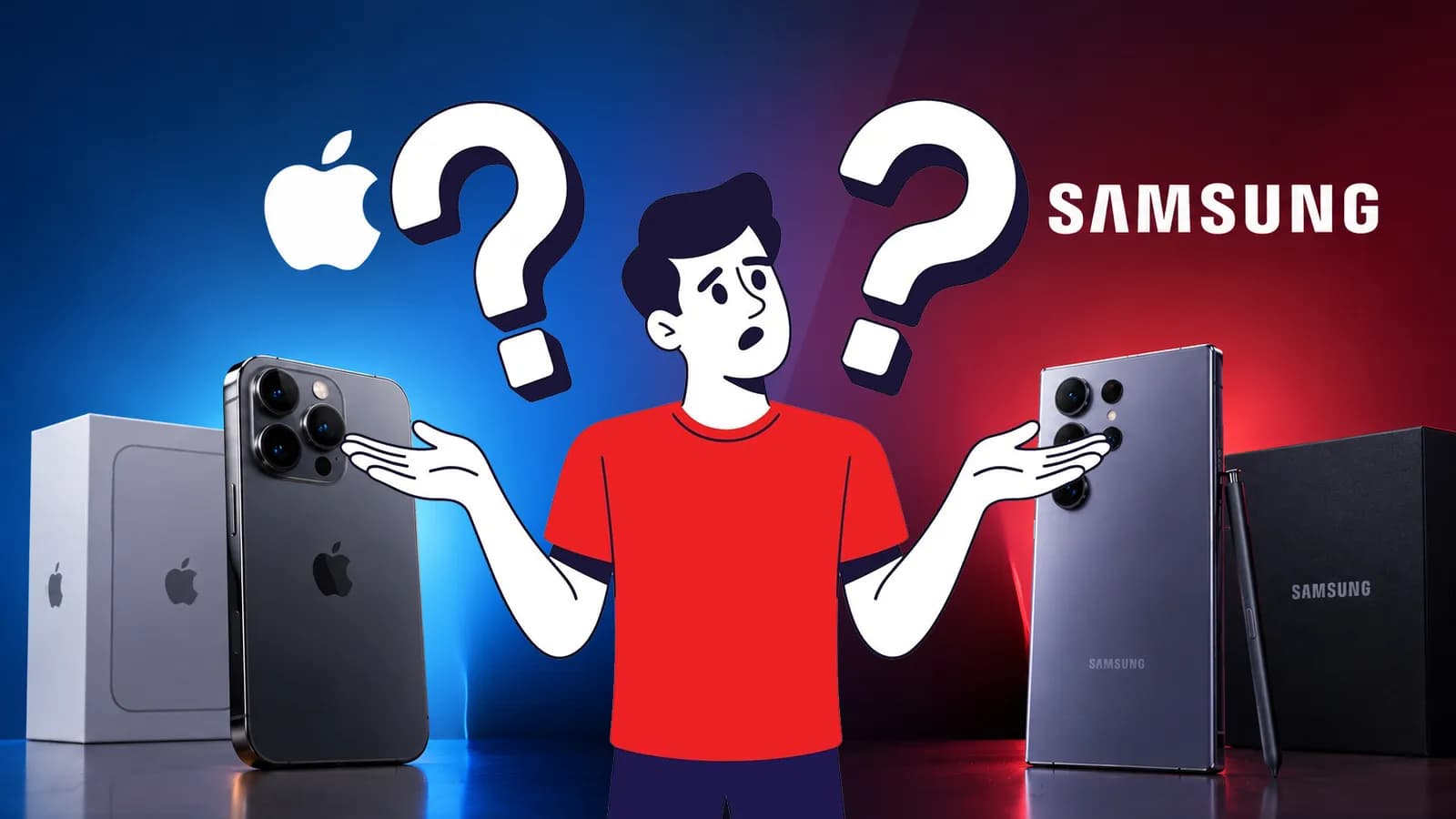
Design is one area where both iPhone and Samsung have plenty to offer, especially in their flagship phones. But once you look across their entire lineups, the differences become more noticeable in the materials they use, durability, size, and the number of form factors available.
Feature | iPhone | Samsung |
Flagship Materials | ● Pro, Air: Grade 5 Titanium frames with textured matte glass backs. ● Standard, ”e”: Aerospace-grade Aluminum frames with color-infused glass backs. | ● Ultra: Premium Titanium frames with Corning Gorilla Armor glass. ● Base S, Plus, Foldables: Armor Aluminum frames with Gorilla Glass Victus series. |
Affordable / Mid-Range Models | None. Apple does not make budget phones; older flagship models drop in price but retain their original premium aluminum/glass builds. | Galaxy A, M series: Swaps premium metals for polycarbonate (plastic) frames and backs (often called "Glasstic") to lower costs. |
Water & Dust Resistance | All modern models: IP68 certified. | ● Galaxy S & Ultra: IP68 certified ● Galaxy Z Fold/Flip: IP48 certified (offers water protection but limited dust resistance due to the hinge). ● Galaxy A Series: Varies from IP67 (1 meter depth) down to IP54 rating on budget models. |
Form Factors Available | ● Traditional Slab: Flat-edge designs in 6.1, 6.3, 6.7, and 6.9-inch sizes. ● Foldable: The dual-screen iPhone Duo form factor. | ● Traditional Slab: Ergonomic curved/boxy screens in 6.2 to 6.8-inch sizes. ● Clamshell Foldable: Galaxy Z Flip (folds vertically into a pocketable square). ● Book Foldable: Galaxy Z Fold (opens horizontally into a 7.6-inch tablet). |
So, Which Has the Better Design?
There isn't really a universal winner here.
If you want a consistent premium design and familiar slab-phone experience, the iPhone lineup is easier to navigate. If you want more choice in size, price, materials, or even the basic shape of your phone, Samsung gives you more options.
Display
Both iPhone and Samsung offer high-end OLED displays, but the differences become clearer when you look beyond the basic “OLED + 120Hz” specifications. Samsung gives buyers more choice in screen size and resolution. For instance, Samsung’s Galaxy S26 Ultra adds display features that aren't available across the rest of the lineup.
Display Feature | Apple iPhone | Samsung Galaxy |
Display Technology | OLED across all current models. Uses custom Super Retina XDR panels that prioritize uniform color accuracy and calibration. | AMOLED across most segments. Uses Dynamic AMOLED 2X on flagships for highly saturated, vibrant, and dynamic media consumption. |
Screen Sizes | Focused selection. Traditional models stick tightly to a few standard sizes (ranging from 6.1-inch base sizes up to 6.9-inch Pro Max displays). | Massive size variety. Spans from compact entry-level A-series to expansive 6.8+ inch ultra-flagships and massive unfolding tablet-sized screens. |
Refresh Rate | ProMotion (120Hz) is premium-only. Smooth 120Hz adaptive refresh rates are strictly reserved for Pro and Duo models, while standard and Air models use a baseline 60Hz. | High refresh rates are widespread. Smooth 120Hz scrolling is available not just on flagships, but also on many affordable, mid-range Galaxy A-series models. |
Resolution | Highly consistent. Apple maintains a sharp, uniform pixel density (around 460 ppi) across its primary lineups. | Tiered by price segment. Varies widely from budget, base flagship FHD+ options up to ultra-sharp QHD+ (1440p) resolution on high-end models. |
Always-On Display | Limited availability. Reserved for models equipped with LTPO display hardware (Pro series and newer base iPhones). | Widespread availability. Standard across a vast majority of the Galaxy ecosystem, including many mid-tier devices. |
Outdoor Visibility | High raw peak brightness across flagships (hitting up to 3,000 nits). | High peak brightness, supplemented by software Vision Booster and hardware anti-reflective Armor glass on select top-tier models. |
Privacy Display | No built-in equivalent. Side-angle privacy requires third-party physical screen protectors. | Highly model-specific. Introduces an on-demand hardware electronic privacy angle shield, but it is strictly restricted to the top-tier Galaxy S26 Ultra. |
What do these differences actually mean?
● For smoothness: Both offer adaptive refresh rates up to 120Hz, so scrolling and animations feel smooth on their flagship models.
● For outdoor use: The iPhone 18 Pro models have a higher listed outdoor peak brightness, while Samsung's Galaxy S26 Ultra also uses Vision Booster and anti-reflective display technology to improve visibility in bright conditions.
● For resolution: Samsung gives you more choice. The S26 uses FHD+, while the S26+ and S26 Ultra use QHD+ panels. In older models too, like the Galaxy S25 Ultra, you will see no compromise too.
● For privacy: The S26 Ultra's Privacy Display is a notable Samsung-exclusive feature that can limit side-angle visibility when you're using the phone around other people.
What about foldable displays?
Foldables are mainly relevant if you're specifically looking for a different phone form factor:
● Samsung: Z Fold 8 and Z Fold 8 Ultra offer book-style foldables, while the Z Flip 8 uses a clamshell design.
● Apple: The iPhone Duo is Apple's first foldable option, with a large inner display and a smaller outer display.
Bottom line: Samsung offers more foldable choices, while Apple has just entered the foldable space with one iPhone Duo
Performance
Apple has an advantage that Samsung can't quite replicate since it controls everything from the chip, operating system, and the phone’s overall design by itself. The latest iPhone 18 Pro models, for example, use Apple's A20 Pro chip, while Samsung uses Snapdragon or Exynos processors across different Galaxy models and markets.
In day-to-day use, you are unlikely to notice a major difference between similarly priced flagship phones. Apps open quickly, multitasking is smooth, and demanding tasks like video editing are well within their capabilities. The bigger difference appears as you move down the price range, where Samsung offers far more performance tiers than Apple.
Gaming
When talking about performance, we cannot forget gaming. High-end iPhones and Galaxy phones can comfortably handle demanding titles at high settings. What matters more during longer sessions is how well the phone manages heat and maintains performance.
Samsung's flagship Galaxy phones use dedicated cooling hardware, while Apple's newer Pro iPhones are also packed with a large vapor chamber for better sustained performance, besides GPU performance and hardware-accelerated graphics. Game optimisation can also vary, so the experience isn't always identical even when two phones have similarly powerful hardware.
RAM and Memory
And with RAM, the comparison gets a little trickier. Samsung generally advertises the RAM capacity of its phones clearly, while Apple doesn't put the same emphasis on the number. But a Galaxy phone with more RAM won't automatically perform better.
The chipset, storage, software optimisation, and memory management all play a part. So, rather than choosing based on the biggest RAM number, look at the overall hardware and the type of work you actually expect the phone to handle.
Camera: Photo and Video Recording
If you are a phone enthusiast, you might already know that looking only at the number of megapixels does not tell the whole story. The more interesting difference is how iPhone and Samsung handle color, zoom, video, and computational photography.
Apple has traditionally put a lot of emphasis on consistent image processing and video recording, while Samsung tends to give you more flexibility with zoom and camera hardware, particularly on its Ultra models. You can see that difference in how each brand approaches its flagship cameras.
● For natural-looking photos: iPhones generally aim for consistent colours and exposure across their cameras, making it easier to get similar-looking results when switching between lens
● For zoom: Samsung has the stronger hardware advantage on its Ultra models, with long-range telephoto cameras designed for higher levels of optical and hybrid zoom.
● For video: iPhones remain particularly strong for stable, detailed video, with features aimed at people who record a lot of content.
● For camera flexibility: Samsung gives you more options to experiment with different focal lengths and shooting modes, especially on the Galaxy S Ultra range.
● For everyday social media use: Both are more than capable, although the final look can differ depending on the app and how it processes photos or videos.
The difference also becomes less obvious when comparing iPhones with standard Galaxy phones. Samsung's biggest camera advantage tends to appear higher up its lineup, while Apple's camera experience remains relatively consistent across its premium iPhone models.
Battery and Charging
Battery is one area where Samsung usually looks stronger on paper. Galaxy phones commonly offer larger batteries and, on higher-end models, much faster wired charging than the iPhone. The iPhone takes a different approach. Apple doesn't focus much on battery capacity in its specifications, and instead emphasises overall battery life. But interestingly enough, the new iPhone 18 Pro Max actually has a larger battery than the Galaxy S26 Ultra.
Charging is where things get a little easier to notice. Samsung offers slightly faster wired charging on some of its higher-end models, while iPhones charge generally slower but have long supported MagSafe and Qi2 wireless charging. Samsung has also adopted Qi2 and magnetic accessories on newer Galaxy phones, although compatible cases are needed for magnetic alignment on supported models.
A few things are worth keeping in mind:
● Battery size: 5,000mAh is common on higher-end Galaxy phones, while Apple doesn't usually list battery capacity as a headline specification.
● Wired charging: Samsung's faster-charging models can reach up to 60W, giving them a clear advantage when you need a quick top-up.
● Wireless charging: iPhones support MagSafe and Qi2 up to 25W on current Pro models, while newer Galaxy phones support Qi2 with compatible magnetic cases.
● Actual battery life: A bigger battery doesn't automatically mean longer use. The processor, display, software, and your usage all have a say in how long the phone lasts.
Software and User Experience
iOS keeps things relatively simple and consistent, with a familiar interface across the iPhone lineup. Whereas Samsung's One UI takes a more flexible approach, giving you considerably more control over the way the phone looks and works.
Area | iPhone (iOS) | Samsung (One UI) |
Interface & design | Clean, uniform, and instantly familiar across models. | Highly adaptable, supports custom themes, icon packs, and layouts. |
Multitasking | Simple app-switching, focused on one app at a time | Advanced, supports side-by-side split-screen and floating windows |
Desk mode | Not available (standard mirroring only) | Samsung DeX provides a desktop-like interface on a compatible external display |
Software Updates | Delivered to all compatible devices instantly worldwide | Rolled out in phases depending on the specific model and region |
Long-Term Support | Typically receives 6 to 7 years of major iOS upgrades | Supported flagship Galaxy phones receive up to 7 years of OS and security updates |
In the end, neither approach is necessarily better. If you prefer a phone that feels familiar and reliable, iOS makes a lot of sense. If you want a device that bends to your personal workflow and offers extensive multitasking, Samsung's One UI gives you much more room to play.
AI Features
Area | iPhone | Samsung |
AI platform | Apple Intelligence | Galaxy AI |
Writing & productivity | Writing Tools, summaries, proofreading, and other text features | Writing Assist, summarisation, translation, and note-related tools |
Image editing | Clean Up, Genmoji, Image Playground, and AI-assisted photo features | Generative Edit, Object Eraser, Photo Assist, and other AI editing tools |
Translation | Live Translation for supported calls, messages, and conversations | Live Translate and Interpreter for supported languages and situations |
Voice assistant | Siri with Apple Intelligence features | Bixby with Google's Gemini features available on supported Galaxy phones |
Ecosystem integration | AI features are closely tied to iOS and Apple's wider device ecosystem | Galaxy AI works across supported Galaxy devices and integrates with Google's services |
Samsung has made AI a more visible part of the Galaxy experience, particularly across communication, productivity, and photo editing. Apple Intelligence takes a more integrated approach within iOS, with features such as Writing Tools, Genmoji, Clean Up, and Live Translation.
One thing to keep in mind is availability. AI features can differ depending on the phone model, language, region, and software version, so a feature shown in a Samsung or Apple announcement may not necessarily be available on every device.
Security and Privacy
Security is one area where you don't have to worry too much about choosing the “wrong” brand. Both iPhone and Samsung have built-in protections that cover everything from biometric authentication and app permissions to protection against malicious apps and attacks. The difference is mainly in how those protections are implemented.
● iPhone: Face ID, Secure Enclave, app permission controls, tracking protections, and App Store security. Apple also offers Lockdown Mode for users who may face highly targeted attacks.
● Samsung: Samsung Knox works alongside Android's security features, with tools such as Auto Blocker, Message Guard, biometric authentication, and permission controls.
● Software security: Both receive regular security updates, although the exact support period and update schedule depend on the model.
● Privacy controls: Both platforms let you control what apps can access, including your location, camera, microphone, photos, and other sensitive information. The settings and controls are organised differently on iOS and One UI.
iPhone vs Samsung: Which Ecosystem is Best?
If you already use a smartwatch, tablet, laptop, or earbuds, your phone choice can affect how easily all those devices work together. Both Apple and Samsung really take different approaches here.
Apple: Tighter Integration
Apple's biggest strength is how closely its devices work together.
● Handoff, Universal Clipboard, and Continuity make it easy to move between an iPhone, Mac, and iPad.
● AirDrop lets you quickly share photos, videos, documents, and other files between Apple devices.
● Apple Watch and AirPods are designed to work seamlessly with the iPhone.
● iCloud keeps photos, files, passwords, and other data synced across supported Apple devices.
Samsung: More Flexibility
Samsung offers a similarly connected experience, but gives you more freedom to mix devices and platforms.
● Galaxy phones work closely with Galaxy Watch, Buds, Tab, and Book devices.
● Quick Share makes it easy to transfer files between compatible Galaxy, Android, and Windows devices.
● Multi Control lets you use a compatible keyboard and mouse across supported Galaxy devices.
● Samsung DeX can turn a compatible Galaxy phone into a desktop-like setup when connected to an external display.
● Galaxy phones also work with Windows PCs, so you don't have to use a Galaxy Book to get useful cross-device features.
● SmartThings connects compatible smart home devices through Samsung's platform.
Overall, if you're already invested in Apple devices, an iPhone will usually give you the most seamless experience. Samsung makes more sense if you want strong device integration while keeping more freedom to mix Galaxy, Android, and Windows products.
Price, Availability and After-Sales Support in Nepal
For buyers in Nepal, the decision isn't only about which phone is better on paper. The price you actually pay, whether the model is officially available, and what happens if something goes wrong can matter just as much.
Pricing and Model Availability
Samsung has a clear advantage in terms of choice. Its Galaxy lineup covers a much wider range of price points, while Apple's iPhone lineup starts at a higher price and has fewer options at the lower end.
You’ll also find differences in how models reach the Nepali market:
● Samsung has a broader range of Galaxy models available across different price segments.
● iPhones are mainly positioned in the mid-to-premium and flagship segments, with older generations often becoming more affordable after newer models launch.
● Availability can vary by model, storage option, and colour, especially for newer or less common variants.
● Prices can also differ between officially distributed models and imported units, so checking the warranty and seller before buying is important.
Warranty and Service
Consider after-sales support before you buy, especially for an expensive phone.
● Samsung has an established service network in Nepal for its officially distributed devices.
● iPhone service and warranty support depend on the authorised seller or service provider and the device's purchase channel.
● Imported phones may have different warranty coverage from officially distributed units.
● For either brand, it's worth checking whether the specific phone comes with an official warranty before paying.
Resale Value
iPhones generally have strong resale value in Nepal, which can make the higher upfront price easier to justify if you plan to upgrade after a few years.
Samsung flagship phones can also hold their value reasonably well, but Galaxy models tend to see more price variation as Samsung offers phones across many price segments.
If you frequently upgrade your phone, resale value is worth including in the total cost rather than looking only at the original purchase price.
iPhone vs Samsung: Which One Should You Buy?
By now, the choice is less about which brand is “better” and more about what fits your needs and budget in Nepal.
Choose iPhone If...
● You already use Apple devices and want a seamless ecosystem.
● You prioritise consistent camera and video performance.
● You plan to keep your phone for several years and care about resale value.
● You prefer a simpler lineup and don't mind paying a premium.
Choose Samsung If...
● You want more options across different price ranges.
● You prefer Android's customisation and multitasking features.
● You want faster charging, more camera flexibility, or a foldable phone.
● You use Windows and want more flexibility with your devices.
For Nepali buyers, official warranty, availability, and the seller you buy from also matter. Imported units may have different warranty and service coverage, so check these before buying.
While it feels like I am repeating myself, still, iPhone is a strong choice for a premium, straightforward experience. And Samsung makes more sense if you want greater choice and flexibility.
iPhone vs Samsung: Frequently Asked Questions (FAQs)
Should I buy an iPhone or a Samsung phone?
It depends on what you value most. iPhone is a better fit if you want a simple experience, strong video recording, long-term support, and Apple's ecosystem, while Samsung suits buyers who want more model choices, customisation, multitasking, and hardware flexibility.
Which phone is more secure, iPhone or Samsung?
Both offer strong security, but they take different approaches. iPhone benefits from Apple's tightly controlled hardware and software, while Samsung combines Android security with Samsung Knox and additional protections such as Auto Blocker.
Is iOS better than Samsung One UI?
Neither is simply better. iOS is more straightforward and consistent, while One UI offers more customisation, multitasking options, and features such as Samsung DeX.
Can I switch from Android/Samsung to iPhone easily?
Yes. Apple's “Move to iOS” app can transfer all your data such as contacts, messages, photos, videos, calendars, and more from a compatible Android phone. Some apps or data may still need to be downloaded or set up separately.
Which ecosystem is better, Apple or Samsung?
Apple has the edge if you already use devices such as a Mac, iPad, or Apple Watch. Samsung offers more flexibility, particularly if you use Galaxy devices alongside Windows PCs and other Android products.
Can I use Samsung accessories with an iPhone?
Some can, but compatibility varies. Standard Bluetooth accessories and many USB-C accessories can work with iPhone, while Samsung-specific features may not be available.
Which is easier to use for someone new to smartphones?
iPhone is generally the simpler starting point because iOS offers a more consistent interface across models. Samsung is still straightforward to use, but One UI provides more settings and customisation options.
Is it worth switching from iPhone to Samsung?
It can be, especially if you want more customisation, foldable options, or greater multitasking flexibility. The switch makes more sense if you don't rely heavily on Apple Watch, iMessage, or other Apple ecosystem features.
Is it worth paying more for an iPhone?
For some buyers, yes. The premium makes sense if you value resale value, top-tier video quality, and seamless Apple ecosystem integration; otherwise, a Samsung phone at the same budget may offer more hardware variety and flexibility.