

Is iOS More Secure Than Android?
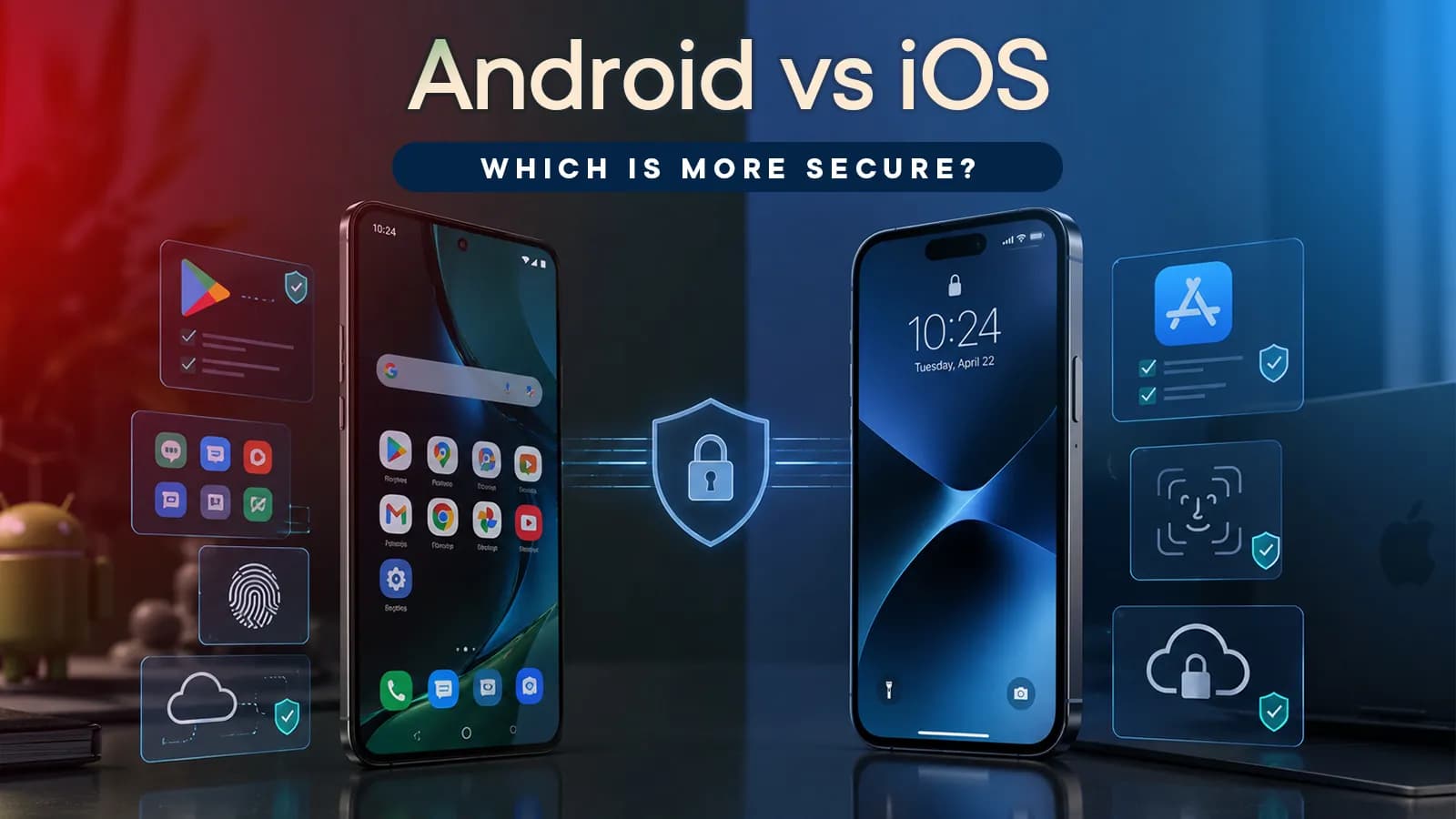
Before we go into all the details, I should tell you that there is no single answer to whether iOS or Android is more secure. Both have strong security systems, but they differ in how much control they give Apple, manufacturers, and users. Here’s a quick glance at how iOS and Android differ in terms of overall security:
| Security area | iPhone | Android |
| App security | More controlled app distribution and review | Play Protect plus more freedom to install apps |
| App installation | More restricted, with alternative distribution limited to certain regions | Apps can also be installed from outside Google Play |
| System security | Secure boot, sandboxing, encryption, and hardware-backed | |
| Software updates | Apple controls both hardware and iOS updates | Update timing depends on the manufacturer and model |
| Security support | Generally consistent across supported iPhones | Varies significantly between manufacturers and models |
| Theft protection | Stolen Device Protection and Find My | Theft Detection Lock, Remote Lock, Find Hub, and other protections |
| User freedom | More restricted | More flexible |
How do Android and iOS protect your phone?
Alright, when we talk about smartphone security, the focus generally goes to things we can see like app permissions, antivirus protection, or whether a phone gets security updates. But a lot of the protection happens quietly in the background.
Both Android and iOS are built with multiple layers of security. Some of them are handled by the operating system, while others make use of the phone's hardware. And although Apple and Google don't use exactly the same technologies, they are trying to solve some of the same problems: keeping apps from accessing things they shouldn't, stopping someone from tampering with the system, and protecting your data if the phone falls into the wrong hands.
Some of the most important ones are app sandboxing, secure boot, and encryption. Understanding these three gives us a better idea of what actually happens when talking about phone security.
App Sandboxing
When you install an app, it cannot access everything on your phone. Android and iOS both put apps in their own restricted environments, commonly known as “sandboxes”.
- This helps keep apps separated from one another. For example, your photo-editing app shouldn't be able to simply open your banking app's private data, and a game shouldn't be able to read your messages without permission.
- The sandbox also acts as a barrier if an app is compromised. It can limit what that app can access elsewhere on the phone.
- However, sandboxing doesn't mean an app can never access sensitive information. Permissions still matter. If you allow an app to access your photos, location, contacts, or microphone, the operating system can give it that access.
Secure Boot and Verified Boot
So, sandboxing helps protect the phone from apps. But what if someone tries to tamper with the phone's software itself? This is where secure boot comes in. When the phone starts up, it checks whether the software it is about to run can be trusted.
Apple’s “secure boot chain” uses a chain of integrity checks so that boot proceeds only after verifying the chain of trust on iPhones. While Android uses “Verified Boot” to make sure all the executed code comes from a trusted source. They work slightly differently, but the basic idea is similar: the phone checks important parts of its software before allowing them to run.
This helps protect against things such as:
- Someone modifying the operating system to gain deeper access to the phone.
- Malicious software being loaded during the startup process.
- Important system files being changed without the phone detecting it.
Again, it doesn't make the phone impossible to compromise, but it adds another layer of protection before the operating system even gets up and running.
Encryption and Hardware Security
Now, even if the phone's software hasn't been tampered with, there is still a lot of valuable information inside it. Your photos, messages, documents, saved app data, and other files shouldn't simply become accessible because someone gets physical access to the device.
This is where encryption is important. Both iOS and Android encrypt the data stored on the phone, but they use different technologies to handle it.
| On iPhones | Apple uses Data Protection to encrypt your data, while the Secure Enclave helps protect sensitive keys and security information. |
| Android Phones |
|
Oh! You don't need to remember all of those technical names. The important part is what they are there to do:
- Keep the data stored on your phone protected from unauthorized access.
- Tie sensitive encryption keys to the device's security hardware and, where applicable, your screen lock.
- Add another layer of protection if someone gets physical access to the phone.
Overall, the phone itself has several layers of protection working in the background. But that’s only one side of smartphone security. The apps you install—where those apps come from and how they are checked is a whole different story.
Android vs iOS App Security: What Happens Before and After You Install an App?
The phone itself may have several layers of protection, but the apps you install can still introduce security risks. Apple and Google both have systems to check apps and detect potentially harmful behavior, although they don't handle app distribution in exactly the same way.
App Store Review vs Google Play Protect
When you download an app from the official app store on both platforms, it has already gone through certain checks. Apple relies heavily on its App Store review process, while Google has its own app review process. But Google also has “Play Protect” in place to scan all apps on your phone and look for potentially harmful behavior.
| iPhone | Android | |
| Main protection | Apps submitted to the App Store are reviewed against Apple's requirements for security, privacy, content, and other areas. | Google checks the apps submitted to the Play Store against different metrics like security and privacy.
|
| If a threat is found | Apple can reject an app or remove it from the App Store if it violates its requirements. | Any app that doesn’t meet Google’s requirements is rejected from the Play Store
|
While both iPhone and Android approaches are different, the goal is to reduce the chances of a malicious app reaching your phone or causing harm once it's installed.
Sideloading and Third-Party Apps
However, things get a little different when you install an app from somewhere other than the usual app store.
Sideloading simply means installing an app from a different source, rather than downloading it through the platform’s main app store. On Android, this can mean downloading an APK from a website and installing it yourself. iPhones have traditionally been much more restrictive, although Apple now allows alternative app distribution in certain regions, including the EU, Japan, and Brazil.
For users, the main differences are:
- Android gives you more freedom: You can install apps from outside Google Play, and Play Protect can still scan those apps for potentially harmful behavior. Then again, Google recently made a controversial decision to allow sideloading apps only from verified developers. Its initial rollout began on September 30, 2026.
- iPhone is more controlled: Alternative app marketplaces and other distribution methods are available only in certain regions, while the App Store remains the main way most iPhone users install apps.
- More freedom also means more responsibility: An app from outside the usual store isn't automatically malicious, but you have to pay more attention to its source and developer.
So, sideloading itself isn't a security threat. The bigger concern is installing something from an untrusted source, especially when you don't know who made it or what the app is actually doing.
Therefore, for most people, the safest approach is simple: stick to trusted stores and developers, be careful with apps from unfamiliar websites, and don't ignore security warnings just to get an app installed.
Software Updates and Security Patches
I don’t know if you are one of those people, but I am sure there are some who look at things like OS upgrades and security patch timelines when looking for a new smartphone. And it is important to check those, because even if a phone has strong security features, they won’t help much if important security flaws go unpatched for months or years. Software updates are therefore a pretty important part of keeping a phone secure over its lifetime.
How Android and iOS updates work?
| iPhone | Android | |
| Who delivers updates? | Apple controls iOS and the iPhone hardware, so it can send updates directly to supported iPhones | Google develops Android, but manufacturers have to adapt updates for their own devices |
| Update timing | Generally receives major updates and security fixes directly from Apple | Timing can vary by manufacturer, model, region, and sometimes carrier |
| Security patches | Apple can include security fixes in iOS updates or release them separately when needed. | Google publishes monthly security bulletins, but the manufacturer determines when a particular device receives the fixes. |
| Support period | Typically provides around 5–7 years of major iOS updates based on Apple’s history, depending on the model. | Varies by manufacturer and model, ranging from only a few years on some phones to up to 7 years on newer Google and Samsung flagships. |
Why security update support matters
Once a phone stops receiving security patches, newly discovered vulnerabilities may remain unfixed. That's particularly important if you use your phone for banking, payments, email, passwords, or other sensitive information. So, rather than assuming every iPhone or Android phone gets the same level of support, check the update policy of the specific model you're buying.
Security vs Privacy: Permissions and Tracking
App Permissions
Both Android and iOS let you control access to your camera, microphone, location, contacts, photos, and other sensitive information.
- iPhone: You can review and change app permissions from Privacy & Security settings. Apple also has “App Tracking Transparency”, which asks whether an app can track your activity across other companies' apps and websites.
- Android: You can manage app permissions from Settings, while the “Privacy Dashboard” shows which apps have recently accessed sensitive permissions. Android also provides controls for advertising IDs and personalized ads.
For example, a navigation app asking for your location makes sense. A calculator asking for your contacts doesn't. If an app's permission request doesn't match what it actually does, there's no reason to give it that access.
Theft and Stolen-Phone Protection
Losing your phone is one thing. Having someone access the personal data and accounts stored on it is another. Both iPhone and Android have features to make a stolen phone harder to access.
- iPhone: Apple's “Stolen Device Protection” adds extra security when your iPhone is away from familiar locations. Certain sensitive actions require Face ID or Touch ID, while some important security changes come with a delay.
- Android: It offers features like “Theft Detection Lock”, which can automatically lock the phone when it detects suspicious movement. “Offline Device Lock” and “Remote Lock” can also help protect the device if it is disconnected or you need to lock it remotely.
Why Screen Lock Still Matters?
These features add another layer of protection, but your PIN, password, or biometric lock still matters. A strong screen lock makes it much harder for someone who has your phone to get past its basic security.
So, Which One Is More Secure?
For a typical user who wants a tightly controlled experience with consistent software updates, iPhone has some security advantages. But that doesn’t make Android inherently insecure. A newer Android phone from a manufacturer that provides long-term security updates can offer strong protection as well. The bigger differences appear between individual Android phones, particularly when comparing well-supported flagship models with cheaper or older devices.
So, rather than simply saying “iPhone is more secure” or “Android is more secure,” look at the specific phone, its update support, and how you plan to use it.
Common Android or iPhone Security Risks and How to Make Them Secure
Okay, even with all the security features built into Android and iOS, you can still compromise your phone based on how you use it. Some of the most common risks are actually pretty simple to avoid.
Fake Apps and Malicious Downloads
Not every app or file you find online is safe. Fake versions of popular apps, modified APKs, and downloads from unfamiliar websites on Android can contain malware or try to steal your information.
What to do: Stick to the official app stores whenever possible, check the developer name before installing an app, and don't ignore security warnings.
Phishing Links and Fake Messages
A message claiming that your bank account needs verification or that you've won a prize can look convincing. The goal is often to get you to open a malicious link or hand over your login details.
What to do: Don't open suspicious links, and if a message asks you to log in or provide sensitive information, go directly to the official app or website instead.
Weak Screen Locks
A weak PIN or an easily guessed password can make it much easier for someone with physical access to your phone to get past its first layer of protection.
What to do: Use a strong PIN or password and enable biometric authentication where available.
Outdated Software
Security vulnerabilities are discovered regularly. If your phone no longer receives security updates, those vulnerabilities may remain unpatched.
What to do: Install security updates when they become available and check how long a phone will receive updates before buying it.
Public Wi-Fi and Untrusted Connections
Public Wi-Fi isn't automatically dangerous, but connecting to unknown networks can expose you to risks, especially if the network is poorly secured or being used to trick people into connecting.
What to do: Avoid sensitive activities on unfamiliar networks when possible, and don't connect to networks you don't trust just because they have a familiar-looking name.
Frequently Asked Questions (FAQs)
Can iPhones get malware or viruses?
Yes. iPhones aren't completely immune to malware, phishing, or other attacks, although Apple's security features can reduce most of the risks.
Does Android need an antivirus app?
For most users, no. Android already has built-in protection such as Google Play Protect, along with other security features.
Which OS is safer for mobile banking?
Both iPhone and Android can be used safely for mobile banking. Keeping the phone and banking app updated, using a strong screen lock, and avoiding suspicious apps and links are more important.
Is sideloading safe if I download an app from a trusted site?
It can be, but there's still some risk. Even a familiar-looking website doesn't guarantee that an app is safe or hasn't been modified.
What happens when a phone stops getting security updates?
The phone may continue to work, but newly discovered security vulnerabilities may no longer be fixed. Over time, that can make the device more vulnerable to attacks.